
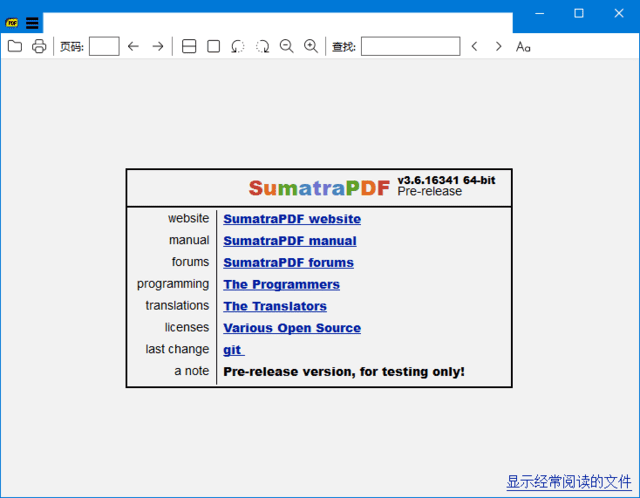
SumatraPDF 是一款主打轻量高速的开源免费阅读器,便携版无需安装即可使用,兼具丰富功能与高性能,能秒开大型 PDF 文档,同时支持多格式电子书阅读,是 Windows 平台上高效阅读的优质选择。
下载地址
轻量级PDF阅读器 SumatraPDF v3.6 / 3.7.17843 多语便携版
- 夸克:https://pan.quark.cn/s/5a2d442f2888
- 百度:https://pan.baidu.com/s/10jHx9kt195ZQV0TK1ILi4w?pwd=88in
- 迅雷:https://pan.xunlei.com/s/VOiBqvDKhFCHe-2P9wP8TuIPA1?pwd=zfjq#
核心功能
- 多格式文档支持:除 PDF 外,还兼容 ePub、MOBI、CBR/CBZ(漫画格式)、XPS、DjVu 等多种电子书与文档格式,一站式满足不同阅读需求。
- 高效文档浏览:快速加载 PDF 文档,即使是数百兆的大型文件也能几秒内打开;支持文档缩放、旋转、翻页等基础操作,浏览体验流畅。
- 精准内容搜索:支持关键字全文搜索,可快速定位文档内的目标信息,搭配书签与目录功能,长文档导航更高效。
- 便捷打印功能:支持直接打印 PDF 文档,可自定义打印范围、页码、纸张大小等参数,满足文档输出需求。
- 沉浸式阅读模式:提供全屏模式与阅读模式,隐藏多余界面元素,减少干扰;支持自定义背景色、字体大小,适配不同阅读场景。
软件亮点
- 轻量便携无负担:安装包仅 17.5MB,便携版解压即可运行,不写入系统注册表,可放在 U 盘随身携带,随时在不同 Windows 设备上使用。
- 极速加载性能:针对文档加载做了深度优化,启动速度与文件打开速度远超同类阅读器,老旧电脑也能流畅运行。
- 界面简洁易操作:采用极简界面设计,功能按钮布局清晰,无多余弹窗与广告,专注阅读本身,新手也能快速上手。
- 开源免费无限制:完全开源且免费,无付费会员功能,无版权限制,可自由下载、使用与分享。
- Windows 全平台兼容:支持各版本 Windows 操作系统,适配台式机、笔记本、平板等多种设备,兼容性强。
更新日志:
3.6 (2026-03-17)
add DisableAntiAlias advanced setting and CmdToggleAntiAlias command
add CmdShowAnnotations, CmdHideAnnotations, CmdToggleShowAnnotations commands for temporarily hiding / showing annotations
add CmdToggleInverseSearch to temporarily disable mouse click invoking tex inverse search
add bgcolor, opacity, textsize, borderWidth arguments to CmdCreateAnnot* commands
add Annotations.FreeTextBackgroundColor and Annotations.FreeTextOpacity advanced settings
sort thumbnails on home page by most recently used date. Set advanced setting HomePageSortByFrequentlyRead = true to revert to pre-3.6 behavior of sorting by frequency of use.
support brotli compression in PDF files
in Command Palette, if you start search with : we show everything (like in 3.5)
in Command Palette, when viewing opened files history (#), you can press Delete to remove the entry from history
improved zooming:
include manual (F1 to launch browser with documentation)
add LazyLoading advanced setting, defaults to true. When restoring a session lazy loading delays loading a file until its tab is selected. Makes SumatraPDF startup faster.
new commands in command palette (Ctrl + K):
add ability to provide arguments to some commands when creating bindings in Shortcuts:
added UIFontSize advanced setting
removed TreeFontWeightOffset advanced setting
increase number of thumbnails on home page from 10 => 30
add ShowLinks advanced setting and “Toggle Show Links” (CmdToggleLinks) for command palette
default ReuseInstance setting to true
added Key arg to ExternalViewers advanced setting (keyboard shortcut)
added Key arg to SelectionHandlers advanced setting (keyboard shortcut)
improved scrolling with mouse wheel and touch gestures
theming improvements
go back to opening settings file with default .txt editor (notepad most likely)
don’t exit fullscreen on double-click. must double-click in upper-right corner
when opening via double-click, if Ctrl is pressed will always open in new tab (vs. activating existing tab)
register for handling .webp files
bug fix: Del should not delete an annotation if editing content
bug fix: re-enable tree view full row select
change: CmdCreateAnnotHighlight etc. no longer copies selection to clipboard by default. To get that behavior back, you can use copytoclipboard argument instead.
change: Ctrl + Tab is now CmdNextTabSmart, was CmdNextTab. Ctrl + Shift + Tab is now CmdPrevTabSmart, was CmdPrevTab. You can re-bind it if you prefer old behavior
CmdCommandPalette takes optional mode argument: @ for tab selection, # for selecting from file history and > for commands.
command palette no longer shows combined tabs/file history/commands. CmdCommandPalette only shows commands. Because of that removed CmdCommandPaletteNoFiles because now `CmdCommandPalette behaves like it
removed CmdCommandPaletteOnlyTabs, replaced by CmdCommandPaletteNoFiles @
Ctrl + Shift + K no longer active, use Ctrl + K. You can restore this shortcut by binding it to CmdCommandPalette > command.
add Name field for shortcuts. If given, the command will show up in Command Palette (Ctrl + K)
closing a current tab now behaves like in Chrome: selects next tab (to the right). We used to select previously active tab, but that’s unpredictable and we prefer to align SumatraPDF behavior with other popular apps.
swapped key bindings: i is now CmdTogglePageInfo, I is CmdInvertColors. Several people were confused by accidentally typing i to invert colors, is less likely to type it accidentally
allow creating custom themes in advanced settings in Themes section. See docs.
improve scrolling with middle click drag #4529
make built-in keyboard shortcuts work on non-us keyboards (cyrillic , hebrew etc.)
add CmdDuplicateInNewTab (Open Current Document In New Tab) command